

ISOMate Pro: A Safe and Fast Way to Download Windows ISO Image (Windows 7 as Example)
 Last Updated on Mar 15, 2026 by Adams Steven (7 Comments)
ISOMate Pro is a simple yet powerful desktop app designed to help you download genuine Windows 7/10/11 ISO files directly from Microsoft's official servers. Whether you need Windows 7 Home, Professional, or Ultimate, ISOMate makes the process straightforward with an intuitive interface, multiple language options, and support for both 32-bit and 64-bit editions.
With features like secure source verification, checksum integrity checks, and global CDN acceleration, the app ensures every ISO you download is fast, safe, and reliable. This tutorial will walk you through the steps to get your Windows 7 ISO effortlessly.
How to Download Windows 7 ISO and Make a Bootable USB from ISO
Downloading Windows 7 ISO is now a simple task with the help of SysCute ISOMate 7. And there is no need to worry about the authenticity about the ISO file. All of them are 100% clean ISO image downloaded from Microsoft servers.
Step 1 Download and Install ISOMate Pro
First of all, download and install ISOMate on your computer.
Step 2 Select a Windows 7 Edition
Open the ISOMate app on your computer and you will be asked to select a Windows 7 edition. You can choose from Windows 7 Home Premium, Professional and Ultimate. The app also shares other information about the ISO image, such as architecture, language, file size and most importantly the SHA1(Secure Hash Algorithm 1).
SHA1 is a cryptographic hash function that takes any input data and produces a fixed-size 160-bit output called a hash value or message digest. It was widely used for data integrity checks and digital signatures. We have compared the SHA1 value and they are matched with the original one published by Microsoft!
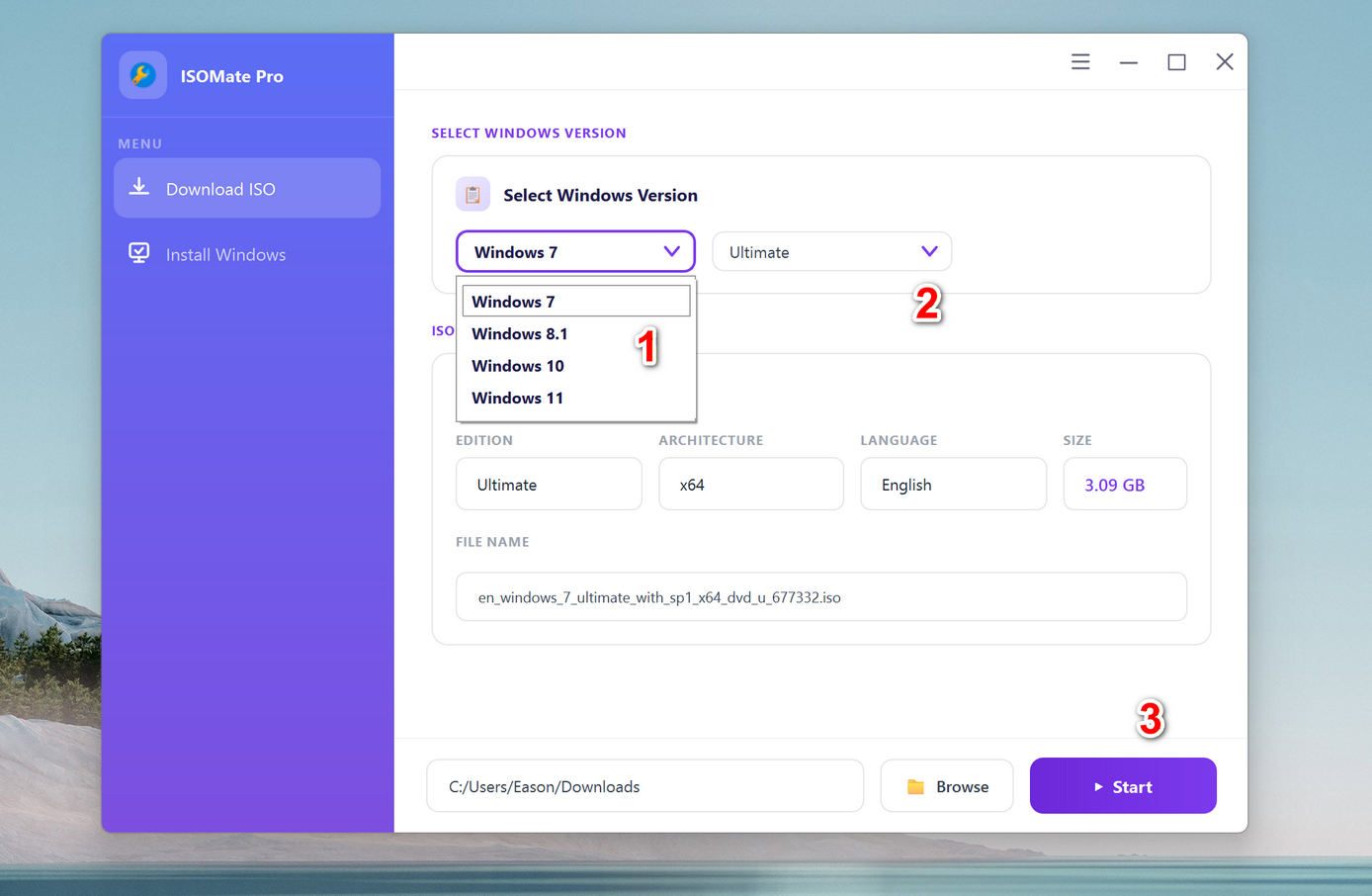
Step 3 Choose a Location and Start Downloading Windows 7 ISO
By default, the downloaded ISO file will be saved to the Downloads folder of your computer. You can change the location by clicking the Browse button at the bottom. After that, click the Start button to download the Windows 7 ISO file. It will be done in a couple of minutes if the internet connection is good.
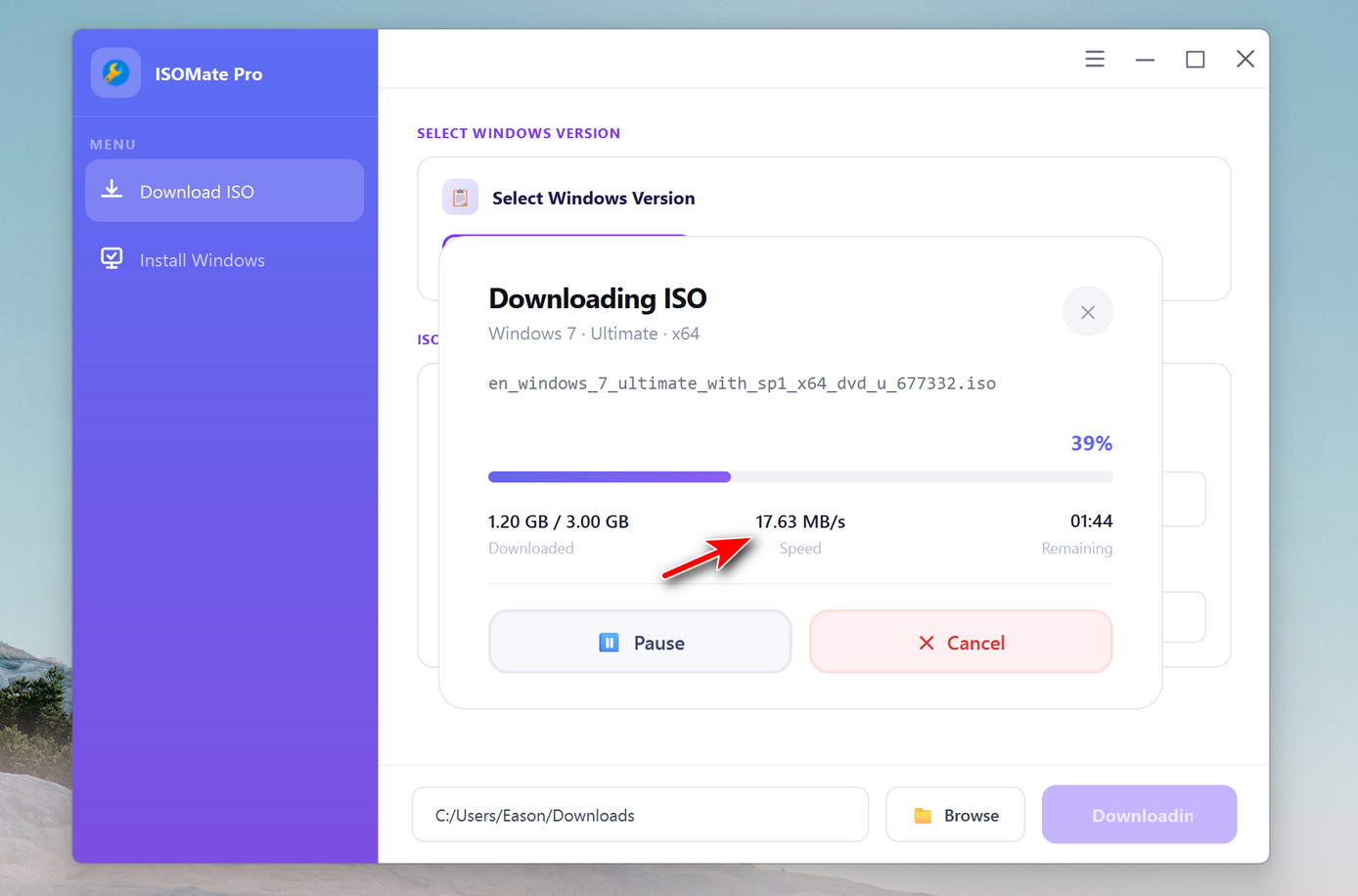
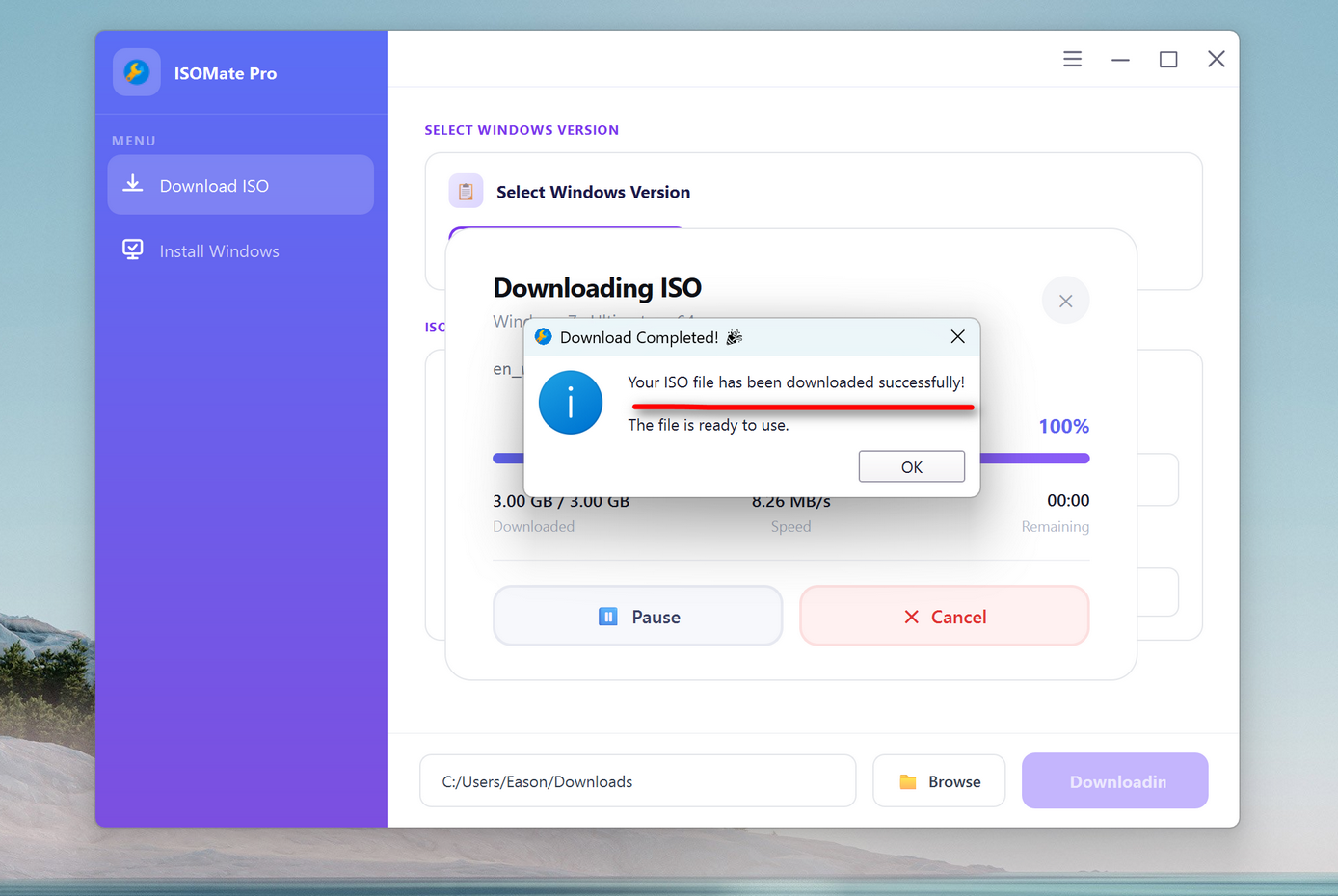
When the downloading task is finished, you will see a notification from the screen.
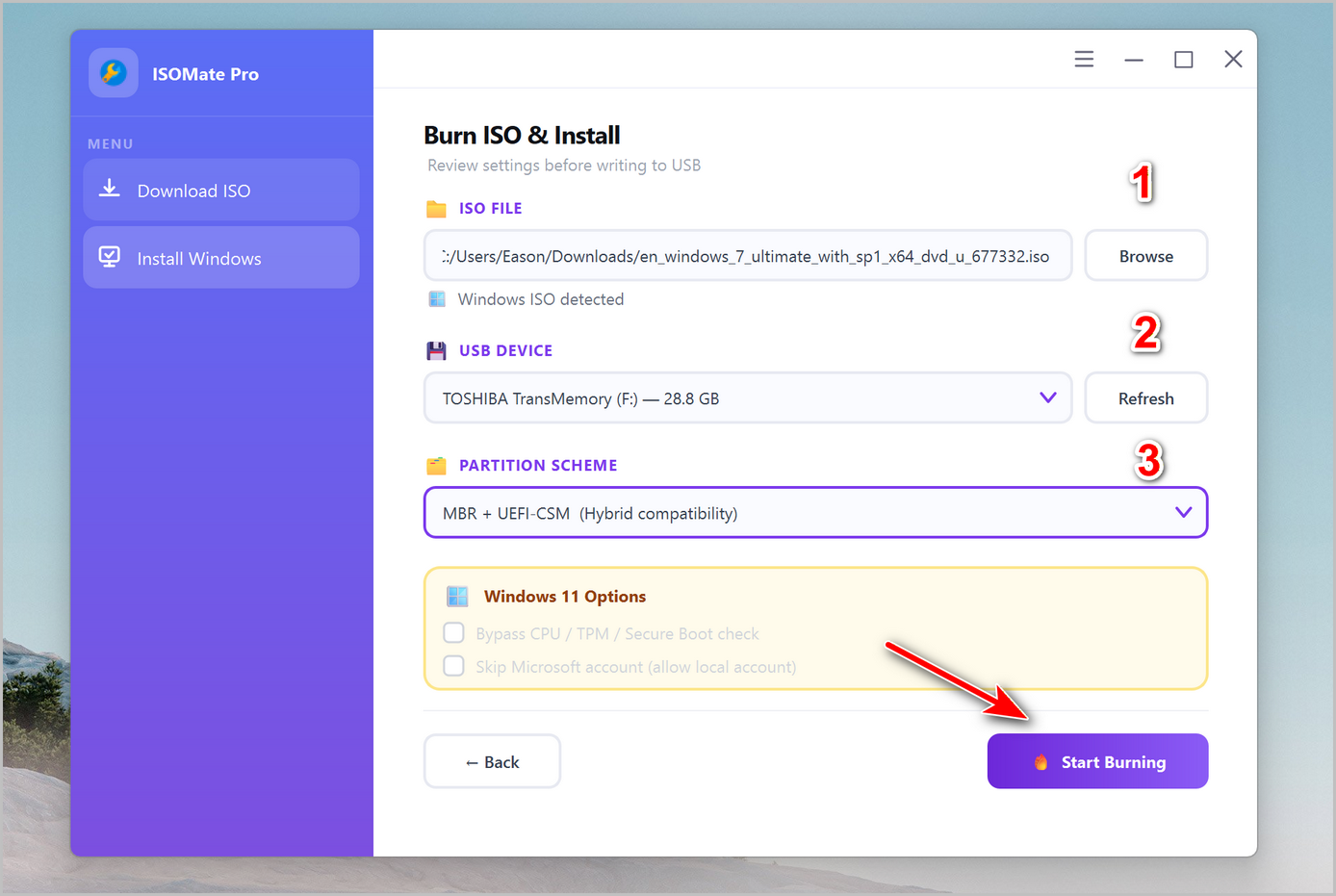
Step 4 Create a Windows 7 Bootable USB from ISO
Once the ISO file is downloaded successfully, click the Install Windows menu from the left sidebar. It will show you the detailed steps on how to make a Windows 7 installation media.
Summary
With ISOMate Pro, downloading authentic Windows 7 ISOs has never been easier. By combining speed, security, and flexibility, the app eliminates the risks of corrupted or tampered files and provides a smooth experience for every user. Whether you’re reinstalling Windows 7 for compatibility, setting up a legacy system, or simply keeping a backup copy, ISOMate Pro is your trusted solution. Follow this guide, and you’ll have your official Windows 7 ISO ready in just a few clicks.
7 Comments
Daniel K.
December 4, 2024 at 5:08 PM
ISOMate made the whole process so easy. I finally got the official Windows 7 ISO without having to search shady websites. Highly recommend!
Marta L.
February 11, 2025 at 2:27 PM
The checksum verification gave me peace of mind. I knew the file was 100% genuine and safe before I even started the installation.
Chris J.
February 12, 2025 at 11: 08 AM
I like how it offers both 32-bit and 64-bit versions. I needed the 32-bit for an older laptop, and it worked perfectly.
Sophie W.
February 13, 2025 at 1:28 PM
The global CDN download speed was impressive. I grabbed the ISO in less than 10 minutes on my average home connection.
Raj P.
May 1, 2025 at 7:08 AM
Great tool! The interface is very clean and easy to understand. Even for someone not too tech-savvy, it’s straightforward.”
Kenji T.
Jul 2, 2025 at 3:38 PM
I needed the Japanese language edition of Windows 7 for work, and ISOMate delivered it without any hassle. Fantastic app!
Laura H.
Sep 4, 2025 at 8:17 PM
My download got interrupted once, but the resume feature saved me from starting over. That alone makes this tool worth it.